
Online PDF Tools – Simplify Every Document Task
Managing PDF files has become a regular part of work, education, business, and everyday digital communication. From sharing reports and invoices to submitting assignments and storing important documents, PDFs are widely used because they preserve the appearance of a document across different devices.
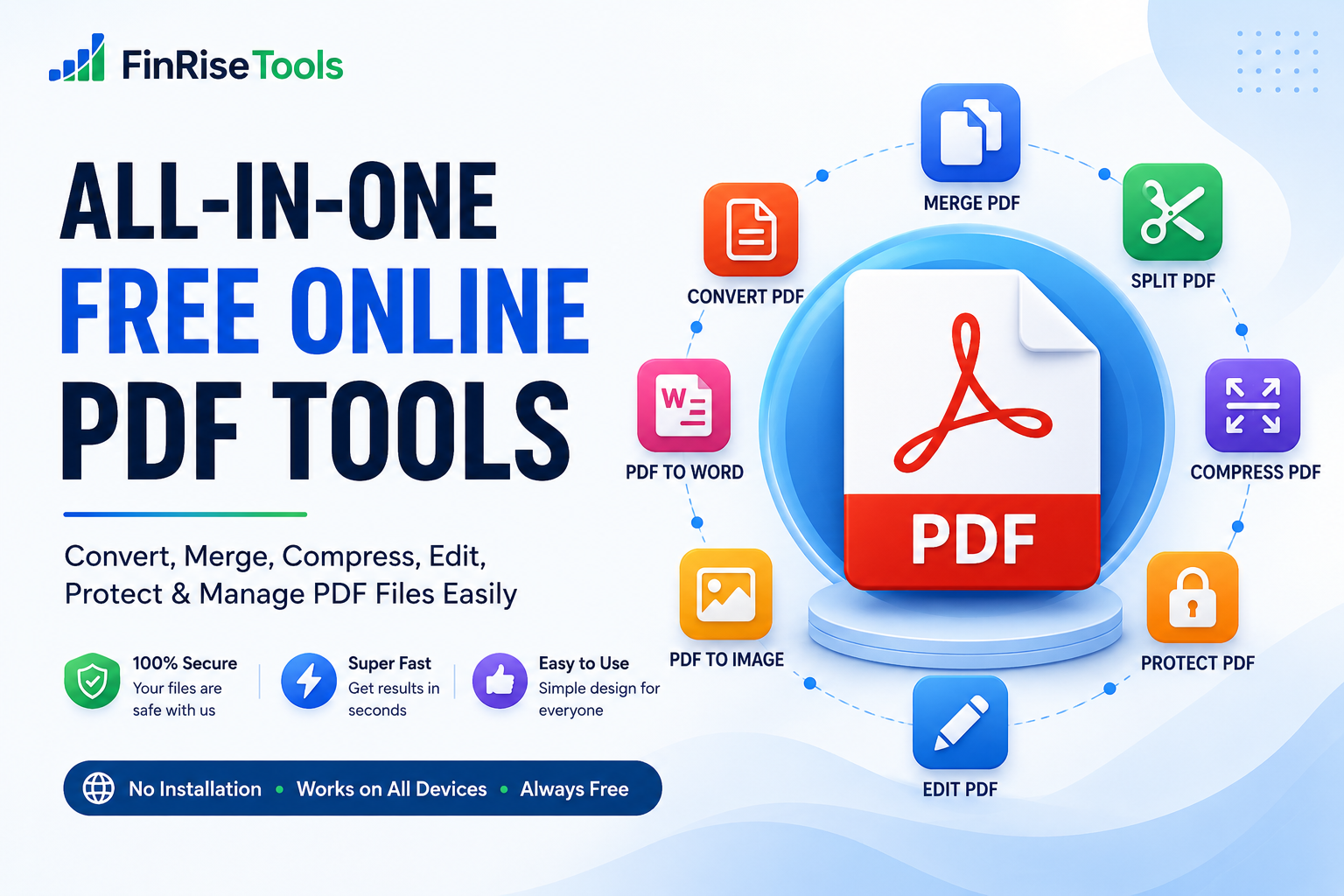
However, working with PDF files can sometimes be difficult. You may need to merge multiple PDFs, split pages, compress a large file, convert a document, edit content, or protect a PDF before sharing it.
This is where online PDF tools can make the process easier. Instead of installing separate desktop applications for different tasks, you can use browser-based PDF utilities to complete common document operations from one place.
FinRiseTools provides a collection of online tools designed to make everyday PDF and document tasks more convenient.
What Are Online PDF Tools?
Online PDF tools are browser-based utilities that allow users to perform different operations on PDF documents without necessarily installing dedicated software.
Depending on the tool, you may be able to:
- Convert PDF files into other formats
- Convert documents or images into PDF
- Merge multiple PDF files
- Split PDF documents
- Compress large PDF files
- Rotate or organize PDF pages
- Add watermarks
- Edit or annotate PDF documents
- Protect PDF files with passwords
- Extract text or information from PDFs
The main advantage is convenience. Users can access these utilities from a web browser and choose the specific tool they need.
Why Use PDF Tools Online?
Traditional PDF software can be useful, but installing a separate application for every document task can be inconvenient. An online PDF platform provides a centralized way to handle many common PDF requirements.
1. No Dedicated Software Required
Browser-based PDF utilities can be accessed directly through a compatible web browser. This can be particularly useful when you are working on a different computer or do not want to install additional software.
2. Convenient Document Management
Instead of searching for separate applications for merging, converting, compressing, or splitting files, you can access multiple PDF tools online from one platform.
3. Useful for Different Users
Students, employees, freelancers, businesses, teachers, content creators, and other users may regularly need PDF utilities for different purposes.
4. Works Across Devices
A responsive online platform can be accessed from desktops, laptops, tablets, and smartphones, provided the browser and tool support the required operation.
Popular Online PDF Tools
A useful PDF platform should cover the most common document tasks. Here are some of the tools users may need.
PDF Converter
A PDF converter helps transform documents between PDF and other supported formats.
Common conversion tasks include:
- PDF to Word
- PDF to Excel
- PDF to PowerPoint
- Word to PDF
- Excel to PDF
- Image to PDF
- PDF to JPG
- PDF to PNG
- PDF to TXT
Conversion results can vary depending on the original document, formatting, fonts, tables, images, and the technology used by the tool. It is always a good idea to review the converted file before using it.
Merge PDF
The Merge PDF function allows multiple PDF files to be combined into a single document.
For example, you might have separate pages for:
- A cover letter
- A report
- Supporting documents
- An appendix
Instead of sending several files individually, you can combine them into one PDF when appropriate.
Split PDF
The opposite operation is Split PDF.
This can be useful when a large PDF contains many pages but you only need a particular section. Splitting allows selected pages or sections to be separated into smaller files.
Compress PDF
Large PDF files can be difficult to upload, email, or store. A PDF compressor reduces the file size by optimizing the document.
Compression may be particularly useful for:
- Email attachments
- Website uploads
- Online applications
- Document sharing
- Cloud storage
The amount of compression possible depends on the contents of the PDF. Documents containing high-resolution images may behave differently from primarily text-based PDFs.
Edit PDF
A PDF editor can help users make supported changes or annotations to a document.
Depending on the available features, this may include adding:
- Text
- Highlights
- Notes
- Shapes
- Signatures
- Watermarks
For important documents, always review the final PDF after editing.
Protect PDF
PDF files may contain confidential or sensitive information. A PDF protection tool can help add password protection or other supported security features.
Users should keep passwords secure and avoid sharing confidential documents through untrusted services.
How to Use Online PDF Tools
Most browser-based PDF utilities follow a simple workflow.
Step 1: Select the PDF Tool
Choose the operation you need, such as Merge PDF, Compress PDF, PDF Converter, or Split PDF.
Step 2: Upload Your File
Select the relevant PDF or supported document from your device.
Step 3: Process the Document
Start the selected operation and allow the tool to process the file.
Step 4: Check the Result
Review the output to make sure the pages, formatting, images, and other important elements appear correctly.
Step 5: Download the Result
Download the processed document and save it to your preferred location.
This straightforward workflow makes online PDF tools practical for many everyday document requirements.
Online PDF Tools for Students
Students frequently work with assignments, notes, research papers, presentations, and application documents.
PDF utilities can help students:
- Combine assignment pages
- Convert documents to PDF
- Reduce file size for submissions
- Extract selected pages
- Convert images into PDF
- Organize project documents
Before submitting an important assignment, students should always open the final PDF and verify that all pages and formatting are correct.
PDF Tools for Professionals and Businesses
PDF documents are also common in professional environments.
Businesses may use PDFs for:
- Invoices
- Reports
- Proposals
- Contracts
- Presentations
- Forms
- Marketing documents
- Internal records
Using appropriate PDF tools online can simplify routine document preparation and reduce the need to switch between multiple applications.
However, sensitive business documents should only be processed through services whose privacy and security practices you understand and trust.
What Makes a Good Online PDF Tool?
Not every PDF utility provides the same experience. When choosing an online PDF service, consider the following factors.
Simple Interface
A clean interface makes it easier to find the required tool and complete the task without unnecessary steps.
Useful Features
A platform offering multiple PDF functions can be more convenient than using separate websites for every operation.
Mobile Compatibility
A responsive interface allows users to access PDF utilities from different screen sizes.
Clear Privacy Information
Before uploading confidential documents, check how the service handles uploaded files, how long they are retained, and whether they are automatically removed.
Reliable Results
Always review converted, compressed, edited, or merged documents before sharing or submitting them.
Are Online PDF Tools Safe?
The answer depends on the individual service and how it processes uploaded files.
When using an online PDF tool, look for clear information about:
- File handling
- Data retention
- Automatic deletion
- HTTPS/SSL protection
- Third-party processing
- Privacy practices
Avoid uploading highly confidential documents unless you are comfortable with the provider’s stated data-handling practices.
For particularly sensitive information, an offline PDF application may be more appropriate.
Why Choose FinRiseTools?
FinRiseTools is designed as a convenient destination for online calculators, PDF utilities, image tools, and other everyday digital tools.
Our goal is to keep common online tasks straightforward by bringing useful utilities together in one place.
With FinRiseTools, users can explore tools for different requirements without having to search for a separate website for every small task.
The platform is designed with a focus on:
- Simple navigation
- Useful online utilities
- Responsive design
- Convenient browser access
- Clear and practical interfaces
As new tools are added, FinRiseTools aims to become a broader collection of everyday online utilities.
Frequently Asked Questions About Online PDF Tools
What are online PDF tools?
Online PDF tools are browser-based utilities that allow users to perform tasks such as converting, merging, splitting, compressing, editing, and organizing PDF files.
Can I use PDF tools without installing software?
Many browser-based PDF tools can be used without installing dedicated desktop software. However, the exact requirements depend on the individual tool.
What is the best tool for reducing PDF size?
A PDF compressor is designed to reduce file size. The final reduction depends on the PDF’s original size and contents.
Can I merge multiple PDF files?
Yes, a Merge PDF tool can combine multiple supported PDF files into a single document.
Can I convert images into PDF?
Yes, an Image to PDF tool can combine or convert supported image files into a PDF document.
Are online PDF tools free?
Some online PDF tools are free, while others may have usage limits, premium features, or subscription plans. Check the individual tool’s terms before use.
Can I use PDF tools on a mobile phone?
Many browser-based PDF tools are designed to work on smartphones and tablets. The experience can depend on the device, browser, file size, and specific tool.
Final Thoughts
PDF management does not have to be complicated. Whether you need to convert, merge, split, compress, edit, organize, or protect a document, the right online utility can make the process considerably more convenient.
Online PDF tools are particularly useful when you need a quick browser-based solution without installing a dedicated application. From students handling assignments to professionals managing business documents, these tools can support a wide range of everyday workflows.
Explore the PDF utilities available on FinRiseTools and choose the tool that matches your document requirement. Always review important files after processing and use appropriate security precautions when working with confidential information.
FinRiseTools — simple online tools for everyday digital tasks.