
Free Online PDF Tools: Why FinRiseTools Makes PDF Management Easier
Managing digital documents has become a routine part of education, business, freelancing, and everyday online work. Among the many file formats available today, PDF remains one of the most commonly used formats for sharing documents while preserving their layout and appearance.
However, working with PDF files is not always straightforward. You may need to merge several documents, split pages, reduce file size, convert a PDF into another format, organize pages, or make supported edits before sharing the final file.
This is where free online PDF tools can make document management more convenient. Instead of installing separate software for every task, users can access different PDF utilities directly from a web browser.
FinRiseTools provides a collection of practical online tools designed to help users handle common document-related tasks through a simple and accessible interface.
What Are Free Online PDF Tools?
Free online PDF tools are web-based utilities that allow users to perform different operations on PDF documents through an internet browser.
Depending on the specific tool, users may be able to:
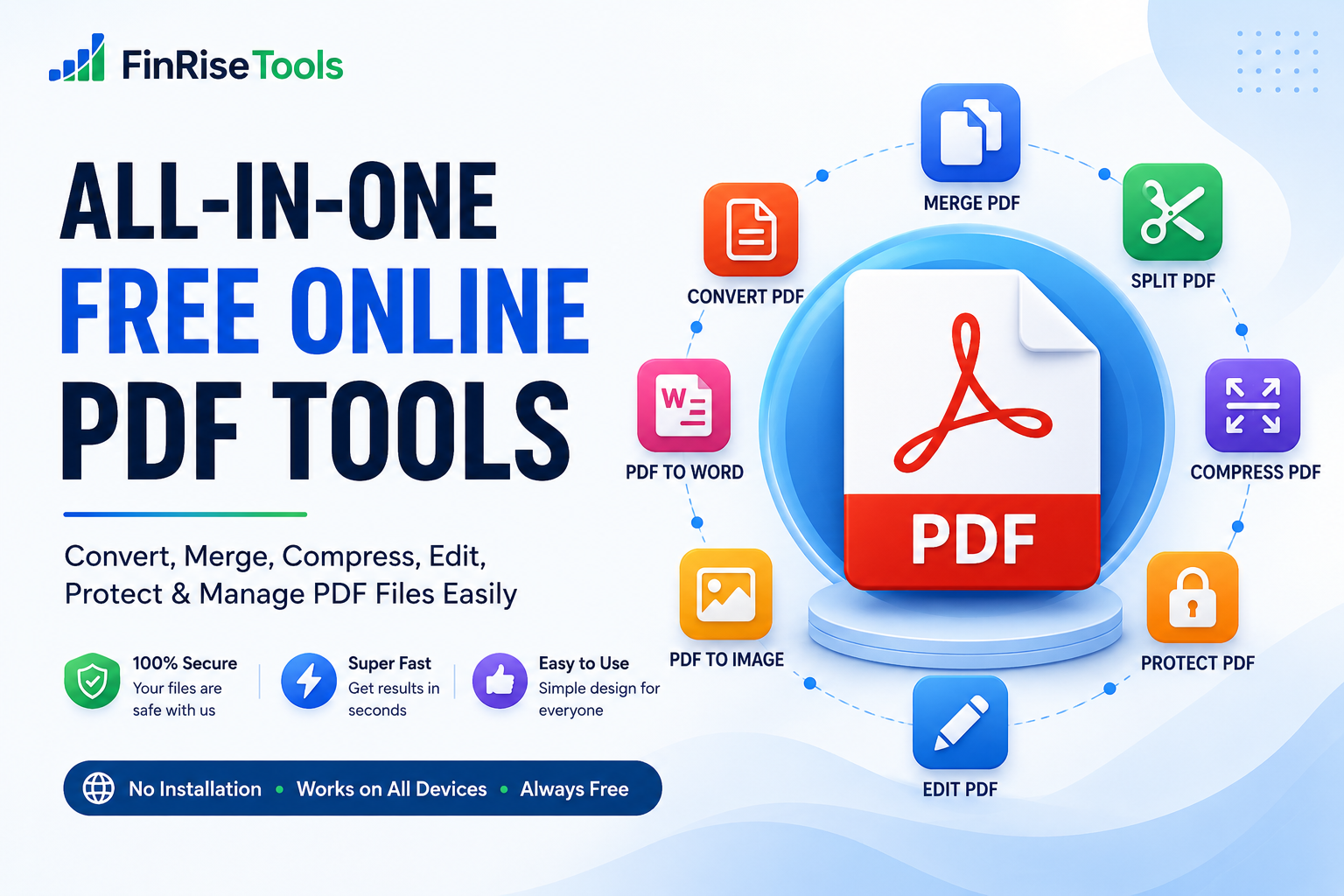
- Convert PDF files
- Merge multiple PDF documents
- Split PDF pages
- Compress PDF files
- Rotate or organize pages
- Add annotations or supported edits
- Add watermarks
- Convert images to PDF
- Convert PDF pages into images
- Work with other supported document formats
The biggest advantage of online PDF tools is convenience. Users don’t necessarily need to install a dedicated desktop application for every individual PDF task.
Instead, they can select the required tool, upload a supported file, process it, and download the resulting document.
Why PDF Management Can Be Difficult
PDFs are excellent for maintaining document formatting, but editing and reorganizing them can sometimes require additional software.
For example, imagine receiving a business report containing 30 pages when you only need five pages. You may want to extract those pages into a separate document.
Similarly, you may receive several PDF files that need to be combined into one document before submitting an application.
Other common situations include:
- A PDF is too large to upload
- Several PDFs need to be combined
- Specific pages need to be extracted
- A document needs to be converted
- PDF pages need to be reordered
- A document needs supported annotations
- Images need to be converted into PDF format
Having different PDF tools online available from one platform can make these routine tasks easier to manage.
A Complete Collection of Free Online PDF Tools
FinRiseTools is designed around the idea of bringing practical online utilities together instead of requiring users to search for a different website for every task.
The available tools and features may vary by individual utility, but common PDF tasks include conversion, compression, merging, splitting, editing, and page organization.
PDF Converter Tools
A PDF converter can help transform supported PDF documents into other file formats and convert compatible files into PDF.
Depending on the available tool, common conversion options can include:
- PDF to Word
- PDF to Excel
- PDF to PowerPoint
- Word to PDF
- Excel to PDF
- Image to PDF
- PDF to JPG
- PDF to PNG
- PDF to TXT
Conversion results can depend on the original document. PDFs containing complicated layouts, scanned pages, tables, unusual fonts, or graphics may require additional review after conversion.
Merge PDF Online
A PDF merger allows users to combine multiple PDF files into a single document.
For example, a student may have separate PDF files for a cover page, assignment, references, and supporting documents. Instead of submitting multiple files, they can combine them into one document when the submission requirements allow it.
A merge PDF online tool can be useful for:
- School assignments
- Business reports
- Applications
- Invoices
- Project documents
- Research material
- Client documents
Before merging files, check their order and make sure you are combining the correct versions.
Compress PDF Online
Large PDF files can become inconvenient when they need to be uploaded, emailed, or shared.
A PDF compressor can reduce the size of a supported document by optimizing its contents.
The amount of compression depends on factors such as:
- Image resolution
- Number of images
- Embedded graphics
- Fonts
- Original PDF structure
- Compression settings
Using a compress PDF online tool can be helpful when you need a smaller document for uploading or sharing.
After compression, always review the resulting PDF to make sure the text, images, and formatting remain suitable for your intended use.
Split PDF Online
A PDF splitter can separate pages from a larger PDF document.
For example, if a document contains 100 pages but you only need pages 20–25, a splitting tool can help create a smaller file containing the relevant pages.
A split PDF online tool can be useful for:
- Extracting selected pages
- Separating chapters
- Creating smaller documents
- Sharing specific sections
- Organizing large PDF files
This can save time when you don’t need to work with an entire document.
Edit PDF Online
There are situations where you don’t need to completely convert a PDF—you simply need to make a supported change.
Depending on the available functionality, edit PDF online tools may provide options for adding or modifying elements such as:
- Text
- Annotations
- Highlights
- Shapes
- Comments
- Watermarks
PDF editing capabilities differ between tools, so users should check the available functions before processing an important document.
Organize and Manage PDF Pages
PDF management isn’t limited to converting and compressing files.
Page organization can also be important when preparing documents for submission or sharing.
Depending on the available utility, users may be able to:
- Reorder pages
- Rotate pages
- Remove selected pages
- Extract pages
- Combine documents
- Add page numbers
- Add watermarks
These functions can be particularly useful when working with long reports, presentations, forms, and business documents.
Why Choose FinRiseTools for Online PDF Tasks?
There are many PDF services available online, so choosing a platform that is simple and practical can make a difference.
Easy Browser-Based Access
With browser-based free PDF tools, users can access supported utilities without necessarily installing additional desktop software.
This can be particularly convenient when you’re using a different computer or working from a mobile device.
Multiple Tools in One Place
Instead of searching separately for a PDF merger, PDF compressor, converter, or splitter, FinRiseTools brings different utilities together on one website.
This makes it easier to find the appropriate tool for a particular task.
Simple User Experience
PDF processing should not require advanced technical knowledge for common operations.
A straightforward workflow can be:
Choose a tool → Upload a file → Select available options → Process → Download
This makes everyday PDF tasks easier for beginners as well as experienced users.
Designed for Different Devices
Responsive web-based tools can be useful across desktops, laptops, tablets, and smartphones, depending on browser and tool compatibility.
Users can therefore access PDF utilities when working away from their primary computer.
How to Use Free Online PDF Tools
Using an online PDF utility generally requires only a few steps.
Step 1: Select the Required Tool
First, identify what you want to accomplish.
For example:
- Need a smaller file? Choose a PDF compressor.
- Need to combine files? Choose a PDF merger.
- Need selected pages? Choose a PDF splitter.
- Need another format? Choose a PDF converter.
Step 2: Upload Your Document
Select a supported file from your device.
Before uploading, make sure you have selected the correct version of the document.
Step 3: Configure Available Options
Some tools may provide additional settings such as page selection, output format, or compression level.
Choose the settings appropriate for your requirement.
Step 4: Process the File
Start the requested operation and wait for the tool to complete processing.
Processing time can vary depending on the document size and operation.
Step 5: Check the Result
Open the processed file and verify:
- Text
- Images
- Page order
- Formatting
- File size
- Overall appearance
Keeping the original document until you have verified the result is always a good practice.
Free Online PDF Tools for Students
Students regularly work with assignments, project reports, study material, application documents, and presentations.
Free online PDF tools can help with several common academic tasks.
For example, students can use PDF utilities to:
- Combine project documents
- Compress files before uploading
- Convert documents into PDF
- Extract selected pages
- Convert images into PDF
- Organize project pages
These tools can reduce the time spent dealing with repetitive document-management tasks.
PDF Tools for Professionals
Professionals often handle reports, proposals, forms, presentations, invoices, contracts, and other business documents.
Online PDF utilities can help simplify routine document preparation.
For example, a professional may need to compress a report before emailing it, merge supporting documents into one PDF, or convert a document into a different supported format.
Having these utilities available through a browser can make such tasks more convenient.
PDF Tools for Small Businesses
Small businesses frequently exchange digital documents with customers, suppliers, employees, and service providers.
PDF utilities can support tasks involving:
- Invoices
- Quotations
- Reports
- Forms
- Business proposals
- Product documents
- Administrative records
Using dedicated tools for individual tasks can help keep document workflows organized.
PDF Tools for Freelancers and Creators
Freelancers, designers, writers, photographers, and other creators often need to share portfolios, proposals, invoices, project documents, and presentations.
PDF tools can help prepare these files for different purposes.
For example:
Merge PDF: Combine portfolio pages.
Compress PDF: Reduce a large file before sending it.
Convert PDF: Create a supported alternative file format.
Watermark PDF: Add branding or ownership information where appropriate.
How to Use PDF Tools Responsibly
Online document tools can be convenient, but users should consider privacy and file security when handling sensitive information.
Check the Privacy Policy
Before uploading confidential documents, review the website’s privacy policy and understand how uploaded files are processed and handled.
Keep Original Copies
Always retain the original document until you’ve confirmed that the processed version is correct.
Review Important Documents
After conversion, compression, or editing, check the resulting PDF carefully.
Don’t Upload Documents You Don’t Have Permission to Process
Only process documents that you own or have authorization to use.
Be Careful With Sensitive Information
For highly confidential documents, consider whether an online processing service is appropriate for the particular task.
What Makes a Good Online PDF Tool?
When comparing online PDF tools, don’t look only at the number of features.
Consider the following factors:
Ease of Use
The interface should make it clear what the user needs to do.
Supported Formats
Check whether the tool supports the file types you regularly use.
Processing Options
Look for useful settings such as page selection, output formats, or compression levels.
Output Quality
Always verify whether the resulting document maintains the formatting and content you need.
Privacy Information
Understand how uploaded files are handled before processing sensitive documents.
Device Compatibility
Check whether the tool works properly on your preferred desktop or mobile browser.
Frequently Asked Questions About Free Online PDF Tools
What are free online PDF tools?
Free online PDF tools are browser-based utilities that allow users to perform common PDF tasks such as converting, merging, splitting, compressing, and organizing documents.
Can I merge PDF files online?
Yes. A PDF merger can combine multiple supported PDF documents into a single file.
How can I compress a PDF online?
A PDF compressor can optimize a supported PDF and reduce its file size. The final reduction depends on the document’s contents and available compression settings.
Can I convert PDF to Word online?
A PDF-to-Word converter can convert supported PDF documents into Word format. Results can vary depending on the original document’s layout and structure.
Can I edit PDF online?
Yes, where supported. An online PDF editor may provide features for adding text, annotations, highlights, shapes, or other supported elements.
Can I use PDF tools on my phone?
Many browser-based PDF tools can work on smartphones and tablets, provided the particular tool and browser support the device.
Are free online PDF tools safe?
Safety depends on the individual service and how it handles uploaded files. Before uploading sensitive information, review the site’s privacy policy and file-processing practices.
Do I need to install software to use online PDF tools?
Generally, browser-based tools do not require dedicated desktop software, although specific features may have different technical requirements.
Why FinRiseTools?
FinRiseTools is built around a simple goal: make useful online utilities easier to find and use.
The platform brings different categories of tools together, including calculators, PDF utilities, image tools, converters, and other everyday online resources.
For PDF-related requirements, users can choose the appropriate utility instead of searching for a separate service for every individual task.
Whether you need to convert a document, merge multiple files, compress a large PDF, split pages, or perform another supported operation, FinRiseTools provides a convenient starting point.
Conclusion: A Simpler Way to Manage Digital Documents
PDFs have become an important part of modern digital communication. Students use them for assignments, professionals use them for reports and proposals, businesses use them for invoices and records, and individuals use them for everyday document sharing.
Managing these files doesn’t always need to be complicated.
With free online PDF tools, common tasks such as converting, merging, splitting, compressing, editing, and organizing documents can be handled through convenient browser-based utilities.
FinRiseTools brings these practical tools together in one place, helping users find the right utility for their specific document requirement.
Whether you’re preparing an assignment, organizing a business report, creating a portfolio, or simply trying to reduce the size of a PDF, choosing the right online PDF tool can make the process simpler.
Explore FinRiseTools and choose the PDF utility that fits your next document task.